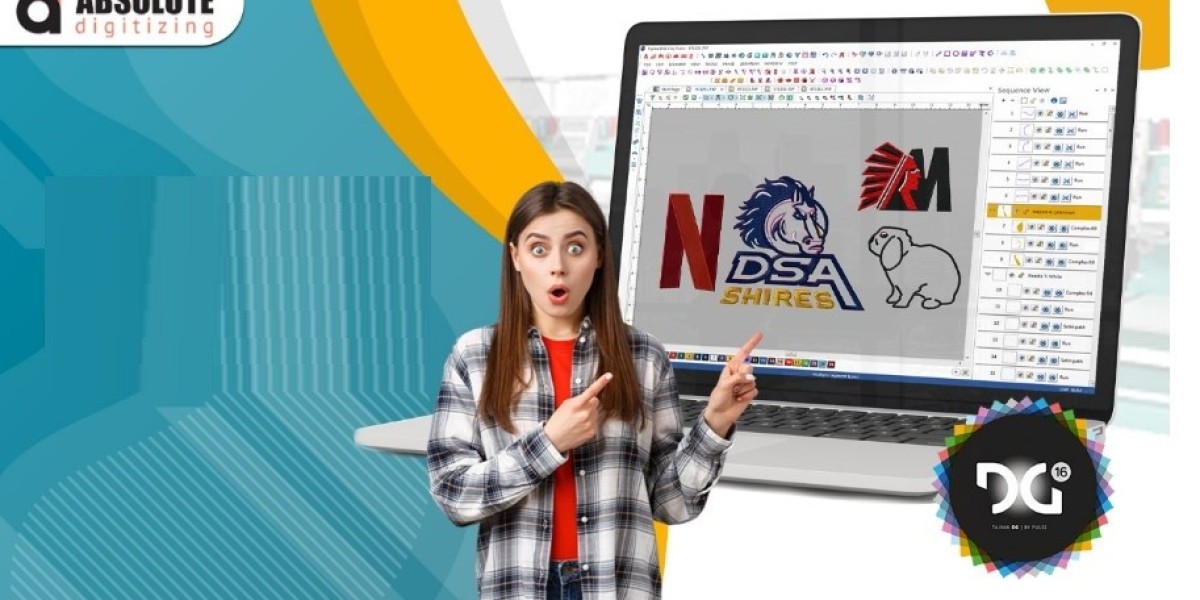

A beautiful logo can look perfect on your computer but still fail when you try to stitch it. The reason is simple: embroidery machines do not work with ordinary artwork in the same way they work with stitch files.
This is where PXF format conversion for embroidery becomes useful. PXF files can contain important embroidery design information, but you may need to convert or export them into another machine-compatible format depending on your workflow.
Understanding the conversion process can help you avoid damaged designs, missing details, and stitching problems.
What Is the PXF Embroidery Format?
PXF is an embroidery design file format associated with professional embroidery workflows. Unlike a basic image file, an embroidery file contains information that helps software interpret the design as stitches and objects.
Depending on how the file was created, PXF may preserve editable design information that is useful during embroidery editing and production.
A PXF file may include information related to:
- Stitch objects
- Stitch types
- Thread colors
- Design elements
- Stitch sequence
- Machine settings
- Object properties
This makes PXF different from common artwork formats such as JPG, PNG, or SVG.
What Is PXF Format Conversion for Embroidery?
PXF format conversion for embroidery means converting or exporting a PXF design into another embroidery format required by your software or machine.
The correct output format depends on the embroidery machine you are using.
Common embroidery formats include:
- DST
- PES
- EXP
- JEF
- VP3
- HUS
- XXX
- Other machine-specific formats
However, not every format stores information in exactly the same way.
For this reason, conversion should be handled carefully instead of simply changing the file extension.
Why Is PXF Conversion Important?
Imagine having a detailed embroidery design but discovering that your machine cannot open its original file. You may have the perfect artwork, yet you still cannot stitch it.
PXF conversion helps bridge that gap.
It can be useful when:
- Moving a design between embroidery systems
- Preparing a file for a specific machine
- Sharing designs with another embroiderer
- Creating a production-ready machine file
- Editing an existing embroidery design
- Converting an editable design into a machine format
The key is choosing the correct output format for your equipment.
PXF vs. Other Embroidery Formats
Different embroidery formats serve different purposes.
PXF
PXF can be useful when maintaining an editable embroidery design within a compatible professional workflow.
DST
DST is a widely used machine embroidery format and is commonly used for commercial embroidery production.
PES
PES is used by compatible embroidery machines and software and can store stitch and color information needed for embroidery.
EXP
EXP is another embroidery format used in certain machine and software workflows.
JEF
JEF is associated with compatible embroidery machines and software.
The best format is not necessarily the one with the most features. It is the one your machine and embroidery software can properly read.
How Does PXF Format Conversion Work?
Converting a PXF design involves more than selecting a new file extension. A proper workflow checks the design before exporting it.
1. Open the Original PXF File
First, open the PXF file in compatible embroidery software.
Check whether all design objects, colors, lettering, and stitch details appear correctly.
If the file is already damaged or incomplete, converting it may not solve the problem.
2. Check the Design Size
Confirm the intended embroidery dimensions.
A design that is too large for the selected hoop may need resizing before conversion.
Avoid extreme resizing because it can affect stitch density and the appearance of small details.
3. Review Stitch Objects
Look carefully at the design's stitch types and object structure.
Check areas such as:
- Satin stitches
- Fill stitches
- Running stitches
- Underlay
- Small lettering
- Complex outlines
This step helps identify potential problems before export.
4. Check Thread Colors
Review the thread colors used in the design.
Different embroidery systems may use different thread libraries. When moving between formats, colors may need to be mapped to available thread shades.
This is especially important for business logos and branded artwork.
5. Adjust Stitch Settings
Some designs may need adjustments after opening or importing.
Pay attention to:
- Stitch density
- Stitch length
- Underlay
- Pull compensation
- Stitch direction
- Trim settings
- Jump stitches
These settings can affect the final result on fabric.
6. Select the Required Output Format
Choose the format supported by your embroidery machine.
For example, you may need to export a PXF design as a PES, DST, JEF, or another compatible format.
Always confirm the machine's requirements before exporting.
7. Preview the Converted File
Before sending the design to the machine, preview the converted file.
Look for missing objects, incorrect colors, strange stitch paths, or changes in lettering.
A good preview can catch problems before they become expensive production mistakes.
8. Test Stitch the Design
For important projects, perform a test stitch on similar fabric.
Watch for:
- Thread breaks
- Fabric puckering
- Gaps
- Poor registration
- Uneven coverage
- Incorrect color changes
- Distorted lettering
If the test does not look right, adjust the design before final production.
Can You Convert PXF Without Losing Quality?
In many cases, a properly prepared PXF design can be exported into another embroidery format successfully.
However, some information may change during conversion.
The result depends on factors such as:
- Original design structure
- Software compatibility
- Destination format
- Stitch settings
- Design complexity
- Machine requirements
This is why it is a good idea to keep the original PXF file as a backup.
If the design needs future editing, the original editable file may be much more useful than a machine-only file.
Common Problems During PXF Conversion
Missing Design Elements
Some objects may not transfer exactly between different embroidery formats.
Solution: Open the converted file and compare it with the original before stitching.
Incorrect Thread Colors
Colors can change when moving between thread systems.
Solution: Check the thread sequence and map colors manually when necessary.
Changes in Stitch Density
Conversion can sometimes affect how certain elements are interpreted.
Solution: Review dense areas and adjust them before production.
Small Text Becomes Unclear
Small lettering is particularly sensitive to stitch settings.
Solution: Check the lettering at the final embroidery size rather than relying only on a screen preview.
File Will Not Open
A machine may reject a file simply because the selected format is unsupported.
Solution: Check the machine's supported embroidery formats before exporting.
Tips for Better PXF Format Conversion
A few simple habits can make the process much smoother.
Keep the original file. Never overwrite your only editable PXF copy.
Know your machine format. Identify the exact file type your embroidery machine requires.
Avoid unnecessary resizing. Major size changes may require stitch adjustments.
Check the color sequence. Make sure the converted file still follows the intended thread order.
Preview before stitching. Software simulation can reveal obvious problems.
Run a test stitch. A physical sample tells you things a screen cannot.
Simplify complex details. Tiny artwork elements may need adjustment for thread-based reproduction.
When Should You Use Professional Conversion?
Simple designs may be easy to export if you have compatible software and understand the required settings.
More complex projects can be harder, especially when they contain detailed logos, small lettering, multiple stitch types, or complicated thread sequences.
Professional conversion can be helpful when:
- The original file has compatibility issues
- The design needs significant editing
- You are unsure which machine format to choose
- The converted design contains errors
- The design is being prepared for commercial production
- You need consistent results across multiple machines
At Absolute Digitizing, careful file preparation can help ensure that embroidery designs are converted with the final stitching requirements in mind.
PXF Conversion Checklist
Before sending a converted file to your embroidery machine, quickly review this checklist:
- Is the output format compatible with your machine?
- Is the design within the correct hoop size?
- Are all objects visible?
- Are the thread colors correct?
- Is the stitch sequence logical?
- Does the lettering remain readable?
- Are dense areas properly balanced?
- Have you previewed the converted file?
- Have you tested the design when necessary?
- Is the original PXF file safely backed up?
A few minutes of checking can save hours of troubleshooting later.
Frequently Asked Questions
What is PXF format conversion for embroidery?
PXF format conversion for embroidery is the process of exporting or converting a PXF embroidery design into another format that is compatible with a particular embroidery software or machine.
Can a PXF file be converted to DST?
Yes, a PXF design can generally be exported to DST when compatible embroidery software supports the conversion. The design should be checked after conversion to ensure the stitch information remains suitable.
Can PXF be converted to PES?
Yes, when the embroidery software supports the required export workflow, a PXF design can be converted or exported into PES format. Always verify the resulting file before stitching.
Does converting PXF change the embroidery design?
It can. Different file formats store embroidery information differently, so some design properties may need to be reviewed or adjusted after conversion.
Should I keep the original PXF file?
Yes. Keeping the original PXF file is highly recommended, especially if you may need to edit, resize, or convert the design again later.
Conclusion
PXF format conversion for embroidery is an important part of moving embroidery designs between different software and machine workflows.
The process is not simply about changing a file extension. A reliable conversion requires checking the design size, stitch structure, thread colors, sequence, density, and machine compatibility.
For the best results, keep your original PXF file, choose the correct output format, preview the converted design, and test stitch important projects.
With the right preparation, converting PXF designs can become a simple part of your embroidery workflow instead of a frustrating source of machine errors.